Choosing a lamp for tired eyes is not merely a style decision. It affects glare, contrast, shadows, and visual comfort during long reading sessions. The American Optometric Association links prolonged digital use with symptoms such as dryness, blurred vision, headaches, and eye fatigue. The Vision Council’s Digital Eye Strain Report also found that about 65% of American adults reported digital eye strain symptoms. These findings make lighting worth examining, especially beside a bright monitor.
So, what type of lamp is best for eye strain? The answer depends on your room, task, and screen position. A well-designed lamp usually provides adjustable brightness, diffused light, stable output, and controllable direction. The U.S. Occupational Safety and Health Administration recommends reducing glare and using suitable task lighting at computer workstations. The Illuminating Engineering Society similarly emphasizes visual comfort, balanced illumination, and careful glare control in lighting design. A soft desk lamp placed beside the screen can reduce harsh contrast. It should not shine directly into your eyes or reflect across the display.
Small details matter. A frosted shade can soften a sharp beam. A dimmer helps during evening reading. Neutral white light may preserve clarity, but personal comfort still varies. No lamp fixes every cause of eye strain. I should admit that lighting advice can become too confident when it ignores dry eyes, poor prescriptions, or excessive screen time. Persistent pain, double vision, or sudden changes require professional eye care. These seven practical tips will help you compare lamp designs more intelligently, rather than trusting brightness alone.
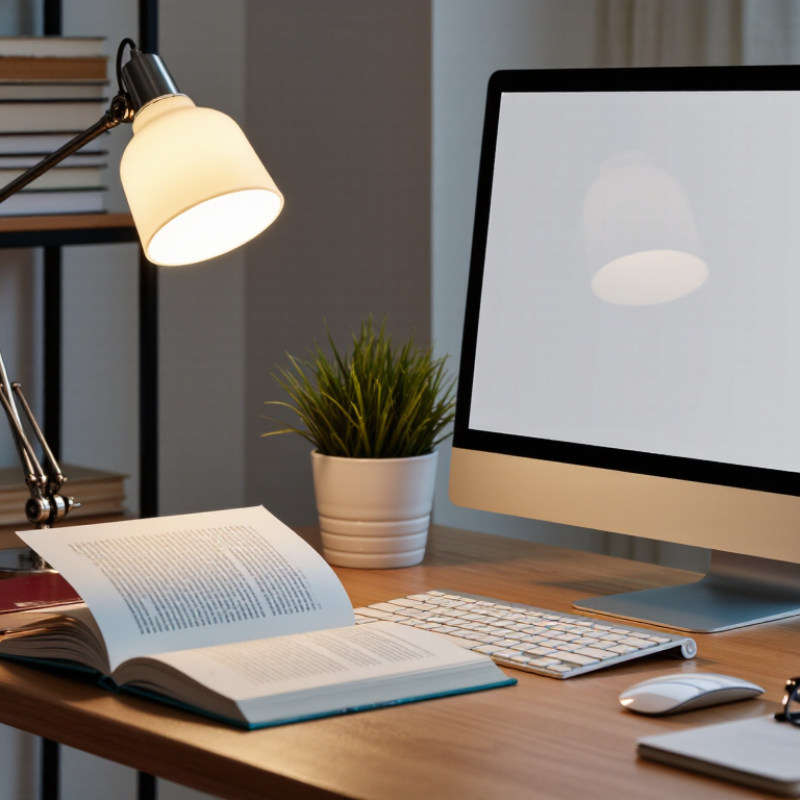
Understanding how lighting contributes to eye strain starts with contrast. A bright screen beside a dark wall forces constant pupil adjustment. Reflections add another layer of discomfort. The Vision Council’s 2023 report estimated that 104 million U.S. adults experience digital eye strain. Lighting cannot explain every symptom, but it can intensify fatigue, dryness, and headaches.
Choose a lamp that spreads light across the desk, rather than creating one harsh pool. Keep the beam away from your eyes and screen surface.
Check seven details before buying: brightness control, color temperature, glare shielding, flicker performance, beam direction, height, and stability. A dimmable lamp supports changing daylight conditions. Neutral white light often feels comfortable for office tasks, while warmer light may suit evening reading. Avoid placing the lamp behind the screen. That position can produce reflections.
The Illuminating Engineering Society recommends evaluating luminance, glare, and visual comfort together, not brightness alone. A high-lumen lamp may still be poorly designed.
Test it for a real work session. Move a paper across the desk and watch for shiny hotspots. Record whether your eyes feel tired after thirty minutes. I often adjust lamps too late. That is a mistake.
The American Optometric Association also links prolonged screen use with digital eye strain symptoms, including blurred vision and neck discomfort. If pain, persistent blur, or headaches continue, seek an eye-care professional. No lamp replaces a proper examination.
A comfortable lamp should illuminate your desk without creating glare on the screen. For reading or writing, a moderate brightness around 300 to 500 lux often works well. A light meter app can provide a rough estimate, though phone sensors are not perfectly accurate. Keep the lamp beside your dominant hand to reduce shadows. Left-handed users may prefer the right side.
Color temperature also affects comfort. Warm light, around 2700K to 3000K, feels gentle during evening reading. Neutral white light, around 3500K to 4000K, can make paperwork appear clearer during daytime. Very cool light may feel sharp in a dark room. I once chose a bright, cool lamp for detailed work, but my eyes felt tired within an hour. Brightness was not the only problem.
Avoid pointing the bulb directly toward your eyes. A shaded lamp or diffused cover spreads light more evenly across the page. Match the lamp with the room, not just the task. A bright desk lamp in a dim room can create uncomfortable contrast. I still adjust my setup several times each week because weather, screen brightness, and fatigue change the experience. If discomfort continues, frequent breaks and an eye examination are more reliable than simply buying a stronger lamp.
7 Tips to Choose the Best Lamp for Eye Strain?
Comparing Lamp Types, Bulb Features, and Light Distribution
Lamp type changes comfort, heat, and control. LEDs usually provide efficient dimming and cooler operation than incandescent bulbs. Compact fluorescent lamps may show ballast flicker, especially when aging. Choose a tested LED with stable output. The IES Lighting Handbook supports task lighting near 300–500 lux for detailed indoor work. More brightness is not always better. Glare hurts.
Check the bulb’s color quality, flicker, and color temperature. A color rendering index of 80 or higher suits ordinary reading, while 90 or higher can make printed colors look more natural. Choose 3000–4000K for a balanced desk atmosphere. The 2021 edition of EN 12464-1 uses 500 lux and a unified glare rating below 19 for many office tasks. Those numbers guide selection, not personal comfort. My own preference might be too warm for another reader.
Light distribution matters more than many shoppers expect. A broad-shade lamp can soften shadows across a keyboard. An adjustable arm can place light beside the writing hand, reducing reflected screen glare. Avoid a bare bulb aimed at your eyes. Look for diffusers, shielding, and smooth dimming. The U.S. Department of Energy’s solid-state lighting reports identify controllability and light quality as important performance measures. Still, specifications can mislead. Test the lamp for ten minutes beside your screen, then inspect white paper for harsh patches, pulsing, or distracting reflections.
Start by considering light quality, not brightness alone. The chart shows typical luminous-efficacy ranges for common lamp types; higher efficacy means more light output per watt, but it does not by itself guarantee better eye comfort.
Key takeaway: LEDs usually provide the highest luminous efficacy, but comfortable light distribution, controlled glare, stable output, suitable color temperature, and adjustable brightness are more directly relevant to reducing visual discomfort.
Positioning and Adjusting the Lamp for Comfortable Viewing
A well-chosen lamp can still cause eye strain if it sits in the wrong place. Position it beside your desk, not directly behind your screen. This keeps light from reflecting across the display. For right-handed writing, place the lamp on your left side. Reverse that placement if you write with your left hand. Keep it gentle.
Aim the shade toward your papers, keyboard, or reading area. Avoid pointing the bulb toward your eyes. The light should cover the workspace evenly, without creating a bright circle beside a dark room. Raise the lamp slightly above eye level, then tilt it downward. A soft, adjustable beam usually feels better than a harsh, exposed bulb. Lower the brightness at night. Your eyes may need less light than you expect.
I once placed a desk lamp behind my monitor, believing it would reduce shadows. It actually created glare on the screen and made me lean forward. That setup was wrong. Now I check the display from several angles before working. I also adjust the lamp when daylight changes. Small changes matter. If you notice burning, headaches, or persistent blurred vision, reduce screen glare and consider advice from an eye-care professional. Even careful positioning cannot replace an examination when discomfort continues.
| Tip | What to Look For | Practical Target or Setting | Recommended Positioning | Adjustment for Comfortable Viewing | Why It Helps |
|---|---|---|---|---|---|
| 1 | Choose adjustable brightness | Approximately 300–500 lux on the reading or work surface, depending on the task and surrounding light. | Place the lamp close enough to illuminate the task without creating a bright spot in the field of view. | Dim the lamp when the room is dark or when the page appears much brighter than the surrounding area. | A balanced light level can reduce excessive contrast and the need to squint. |
| 2 | Select a suitable color temperature | About 3000–4000 K is generally comfortable for reading, desk work, and evening use. | Use a warmer setting for relaxing evening activities and a more neutral setting for detailed daytime work. | Avoid using an unnecessarily cool, blue-white setting in a dark room. | Moderate, neutral-to-warm light can feel less harsh and may be more comfortable for prolonged viewing. |
| 3 | Check color rendering quality | Choose a lamp with a stated CRI of 80 or higher; a higher CRI may be useful for color-critical tasks. | Direct the light evenly across the whole page or work area rather than concentrating it on one small point. | Compare printed text, screen content, and nearby objects under the lamp before selecting a final setting. | Accurate, even color rendering can make details easier to distinguish without increasing brightness unnecessarily. |
| 4 | Reduce glare and reflections | Use a shaded or diffused lamp with no exposed bright bulb visible from the normal viewing position. | For a screen, place the lamp to the side and slightly behind the viewing line; avoid aiming it directly at the screen. | Tilt or rotate the shade until reflections disappear from the screen and glossy paper. | Lower glare can reduce visual discomfort caused by reflections and bright light sources. |
| 5 | Position the lamp on the correct side | Keep the light source outside the direct line between the eyes and the task. | For writing, place the lamp opposite the dominant writing hand: left side for right-handed users and right side for left-handed users. | Move the lamp if the hand, head, or other objects cast shadows over the work area. | This arrangement helps prevent hand shadows and reduces the need to lean or change posture. |
| 6 | Use a stable, flicker-conscious lamp | Choose a lamp with steady illumination and a reputable dimming system; avoid visible pulsing or unstable brightness. | Keep the lamp securely mounted or on a stable base so its angle does not change during use. | Test the lamp at low, medium, and high brightness. Stop using it if it causes discomfort, headaches, or visible flicker. | Stable light can make sustained reading and screen work more comfortable for people who are sensitive to flicker. |
| 7 | Match the lamp to the room and task | Combine task lighting with soft ambient room light instead of using a bright lamp in an otherwise dark room. | Position the lamp so the work surface is evenly lit while the surrounding area remains gently illuminated. | Adjust the lamp whenever the time of day, room lighting, screen brightness, or task changes. | A consistent lighting balance can reduce sharp differences between the task area, screen, and background. |
Choosing a lamp for eye strain requires more than a soft-looking shade. Check the safety label, stable construction, insulated wiring, and a correctly rated power supply. A recognized testing laboratory can verify basic electrical safety. Still, certification does not guarantee comfortable light.
Use seven practical checks.
Energy use affects long-term practicality. The U.S. Department of Energy reports that LED lighting can use at least 75% less energy and last up to 25 times longer than incandescent lighting. Check the lamp’s wattage, annual energy estimate, replaceable parts, warranty, and heat dissipation.
A replaceable light source may prevent unnecessary disposal. I have found that a beautiful lamp can become irritating when its switch is awkward or its diffuser cannot be cleaned. That detail matters. Availability of replacement components also deserves attention.
Bright screens beside dark walls force frequent pupil adjustments. Reflections can add dryness, fatigue, and headaches.
Moderate brightness around 300–500 lux often works well. A phone light-meter app gives only a rough estimate.
Warm light around 2700–3000K suits evening reading. Neutral white light around 3500–4000K often supports daytime paperwork.
Place it beside your writing hand to reduce shadows. Left-handed users may prefer the right side.
Choose a broad diffuser or shaded cover. Move paper across the desk and check for shiny hotspots.
Flicker may worsen headaches or discomfort during screen work. Look for measured flicker performance, not vague packaging claims.
Check stable construction, insulated wiring, heat control, and a correctly rated power supply. A safety certification helps, but comfort still requires testing.
LED lighting generally uses much less energy than incandescent lighting. Check wattage, estimated annual energy use, and light-source replacement options.
Take regular breaks and adjust screen brightness, room lighting, and lamp direction. Persistent pain, blurred vision, or headaches require professional eye care.
Choosing the right lamp can make reading, studying, and screen-based work more comfortable by reducing glare, harsh contrast, flicker, and unnecessary eye fatigue. Start by considering what type of lamp is best for eye strain: one that provides soft, steady, evenly distributed light without creating reflections or sharp shadows. Adjustable brightness is useful because your lighting needs change throughout the day, while a neutral or warm color temperature may feel more comfortable than an overly cool, blue-toned light.
Lamp design and bulb features also matter. Look for reliable flicker-free performance, suitable brightness, good color rendering, and a shade or diffuser that spreads light smoothly. Position the lamp slightly to the side and behind your main viewing direction, adjusting its height and angle to prevent glare. Finally, choose a lamp with safe construction, efficient energy use, simple controls, and durable materials so it remains practical and comfortable for long-term use.
